Overview
GrowOn is a comprehensive online platform that connects students, teachers, school administrators, and parents through a seamless education network. The platform allows users to collaborate by assigning and sharing assignments, tasks, tests, and work samples, as well as access learning resources and courses. With growOn, students, teachers, and administrators can easily connect and collaborate, both within and across schools, to enhance the learning experience.
As a product designer, I was brought on as a freelance contractor to work on the design of the assignment module for the platform. My role was to create a seamless and intuitive user experience for teachers to create and assign tasks to their students, and for students to access and view their results and progress. This included, the interface to enable teachers to effectively monitor student performance and provide timely feedback, all within the app.
Challenge
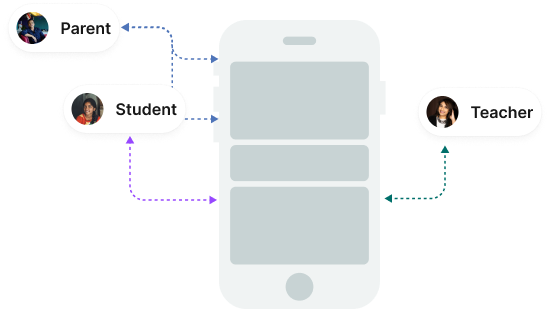
One of the main challenges I faced as a UX designer in this project was designing a user-centric assignment module that would cater to the unique needs of multiple personas including teachers, students, parents and school principals.
Objective
To create a user experience that is extensively researched, user flows that are tailored to each personas
Ideate
Based on the research, we created a assignment module where teachers were able to create and assign assignments to individuals or the whole class using their app. The app had an intuitive, user-friendly interface that made it easy for teachers to assign, score, and forward assignment results to the parents, all within the platform.
Since the app was intended to be used by kids, we had to ensure the module was very simple and straightforward. To make the experience more engaging, we incorporated gamification such as badges and points into the design concepts. This provided a fun and rewarding user experience for the students while also helping to motivate them to complete their assignments. Additionally, students could raise queries on questions that they did not answer, and a teacher would be alerted live. Parents also had visibility of the answers their kids gave to a particular assignment.
Another important feature was to have class-level grading, so we designed the module to provide teachers with a comprehensive view of their students’ progress. This allowed teachers to easily identify areas of improvement and provide the necessary support to help their students succeed.
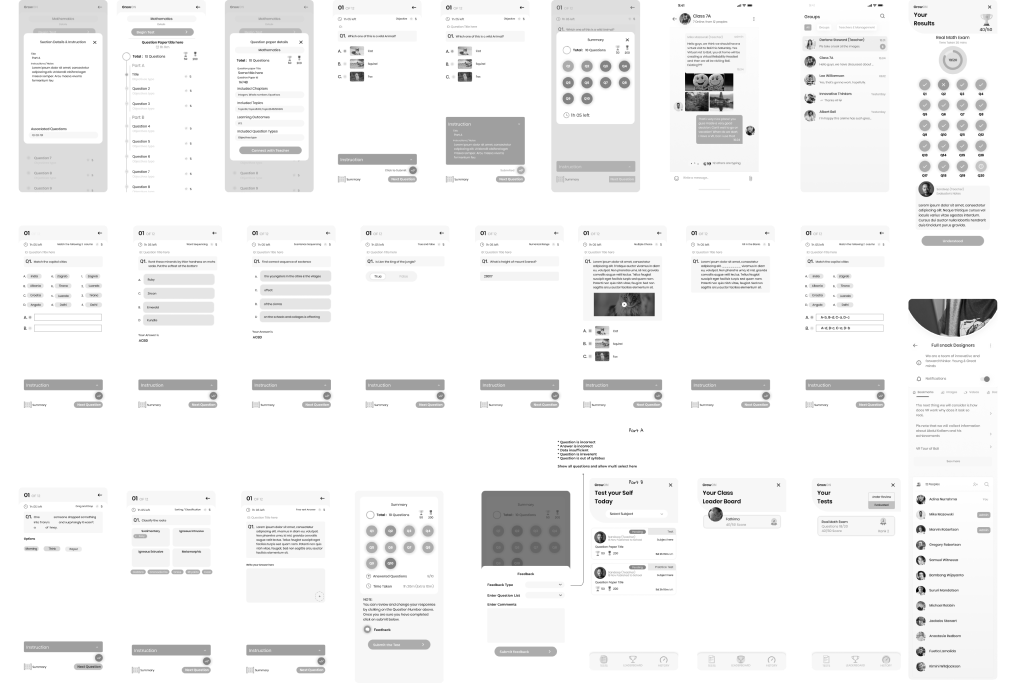
Bellow are some of the low-fidelity artefacts that i can share as part of portfolio.
Test
I was not part of the test performed by the client’s team, but the client reported that the kids found the prototype to be very intuitive. This indicates that the design of the prototype was successful in making it simple and easy for the kids to use. Although teachers had to undergo some training on how to create the question paper and correct the paper using the app, they did not find it too difficult or complex to understand. This indicates that the training was effective in helping the teachers understand how to use the app.
Overall, I consider this to be a success. The feedback from the users indicated that the app was easy to use, and the training for the teachers was effective in helping them understand how to use the app. This resulted in a successful prototype that was well-received by the users.